
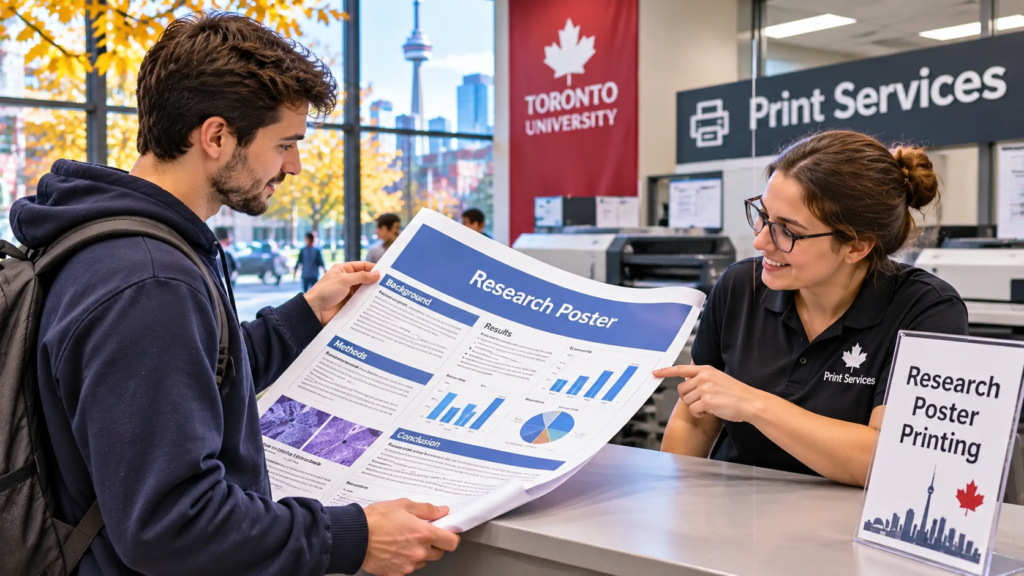
A research poster can look polished on a laptop and still cause problems when printed. Small chart labels may become difficult to read, a photograph may appear blurred or the finished sheet may exceed the conference board’s dimensions.
For students preparing Toronto research posters, printing should follow a deliberate review of the event requirements, research content and exported file. Discovering an error after collection can mean paying twice or presenting something you cannot correct in time.
Start with the instructions for your particular assignment, symposium or conference. A template from another event is a useful design reference, but it does not establish the requirements for yours.
Confirm the Display Dimensions First
Obtain the permitted width, height and orientation before arranging text or charts.
Check whether the organizer specifies the poster’s actual dimensions or simply the maximum display-board area. Leave room for any mounting restrictions rather than assuming the entire board is available.
University of Toronto Libraries notes that conferences may impose strict space limits. Its poster guidance recommends establishing the required size before developing the design.
Write the dimensions into your working notes with the units clearly identified. A number copied without “inches” or “centimetres” can create an expensive misunderstanding.
Also establish whether the poster must be a single sheet, whether a digital copy is required and which mounting materials are permitted.
Build the Poster Around One Main Message
A poster needs a clear purpose that a reader can recognize quickly.
Decide what you want someone to understand after a short conversation. Then select the evidence needed to support that point.
Avoid shrinking an entire essay into several columns. Background information should give readers enough context to understand the question without overwhelming the findings.
The University of Toronto’s research-poster guide emphasizes choosing a key message and adapting the presentation to the audience’s familiarity with the subject.
A specialist conference may allow technical shorthand that would need explanation at an undergraduate showcase. Define abbreviations according to the audience rather than your own daily familiarity with them.
Verify the Research Content Before Styling
Complete a content review before spending time adjusting colours and spacing.
Compare the poster against the current analysis and approved project materials. Check that:
- Sample sizes agree across the text and figures.
- Units and category labels are consistent.
- Results correspond to the version being presented.
- Preliminary findings are identified accurately.
- Limitations remain visible and understandable.
- References support the claims beside them.
Do not let a visually striking chart carry a stronger conclusion than the research supports.
If an analysis changes, review every place the old result appears. Updating one figure can leave an outdated number in the abstract, conclusion or caption.
Confirm the Required Reviewers
Ask your supervisor or project lead who must approve the final version. Agree on a review deadline that leaves time for corrections.
Check author names, affiliations, acknowledgements and funding statements with the relevant people. Send the actual proposed print file for approval, not an earlier draft with a similar filename.
Inspect Figures at Their Intended Size
A chart copied from a presentation slide may need changes for a large poster.
Review axis labels, legends, annotations and symbols separately. A graph can remain sharp while its explanatory text becomes too small.
Use original chart exports or source images where available. Enlarging a low-resolution screenshot does not restore missing detail.
UTSC Library recommends inspecting graphics at 100 per cent zoom for clarity and reviewing the full layout for overlapping elements. It also advises seeking feedback on the draft.
Ask someone unfamiliar with the project to explain what they think the main figure shows. Their interpretation can reveal a confusing label or missing explanation before printing.
Make Reading Easier Without Depending on Colour
Give headings, body text and captions a clear visual hierarchy.
Check whether neighbouring colours remain distinguishable and whether the text contrasts sufficiently with its background. Use labels, line styles or symbols so that a chart does not communicate its entire meaning through colour alone.
Print a representative section at its intended physical size when possible. A reduced copy is useful for checking the overall arrangement, but it cannot show whether the final body text will be comfortable to read.
Keep decorative elements from competing with the research. A poster should make its reading order apparent without requiring the presenter to explain where to begin.
Review Images, Permissions and Sharing Plans
Identify the source of every photograph, illustration and externally created chart.
University library guidance specifically recommends citing graphics created by others and considering whether visual material can be reproduced.
For project-specific questions, consult your supervisor or the appropriate institutional office. This is particularly relevant when a poster includes unpublished material, identifiable information or work supplied by a partner organization.
Also confirm whether the event will upload posters publicly. Approval to present in a room should not simply be assumed to cover every later use.
If you include a QR code, check what it opens and whether the intended audience has permission to access that destination.
Inspect the Exported File
The editable document and the submitted print file are separate checkpoints.
Open the exported file on another device if possible. Review page dimensions, missing symbols, line breaks, cropped figures and unexpected font substitutions.
Use a filename that identifies the project and approved version. Keep outdated drafts in a separate folder so they are harder to attach accidentally.
Test Links and QR Codes
Scan the code from a printed sample rather than relying only on the version displayed on your screen.
Confirm that it opens the correct page without requesting an institutional login unless that restriction is intentional. Include a brief description of the destination so visitors know what they are accessing.
Do not make the poster’s main finding available only through a link.
Work Backward From Collection Time
Your deadline is the time you must collect a usable poster, not simply the time an upload form closes.
Allow for review, file questions, production and an unexpected correction. UTSC Library warns that some poster printing can require more than two days, so avoid assuming same-day availability.
Confirm the collection location and opening hours. For a Toronto student using a service on another campus, travel time may affect the practical deadline.
Before authorizing production, obtain the total price and confirm the requested size, quantity and material.
Check Funding Before Paying
If a department, supervisor or event organizer may cover the cost, request the payment instructions first.
Establish whether you need advance approval, a particular ordering route or an itemized receipt. Ask whether reimbursement covers taxes, mounting materials or a replacement print.
Keep the approval and receipt together. Do not assume that an earlier event’s funding arrangement continues for the current one.
Examine the Poster Before Leaving Collection
Compare the finished sheet with the submitted file.
Check for missing content, damaged edges, unexpected cropping and obvious printing defects. Verify that the dimensions match the order and that the material suits the event’s display arrangements.
Plan how to transport it without folding or damaging it unnecessarily. Keep a copy of the approved file available in case the organizer requests a digital version.
Frequently Asked Questions
Is there a standard size for Toronto research posters?
No single size applies to every event. Use the current organizer’s requirements and confirm the orientation as well as the dimensions.
Is a reduced paper proof enough?
It helps with layout and wording, but it does not demonstrate readability at the final size. Inspect a representative section at its intended scale too.
Should my supervisor approve the final PDF?
Confirm your project’s review process. Where approval is required, submit the exact file intended for printing.
Can I assume printing will be reimbursed?
No. Obtain the funding conditions and ordering instructions before paying.
What should I check when collecting the poster?
Confirm the size, content, cropping and physical condition before leaving. Compare it with the approved file while there is still time to raise a problem.
Note: Event specifications, printing availability and funding rules vary. Follow your organizer’s current instructions. For additional academic guidance, consult the University of Toronto Libraries research-poster guide.