
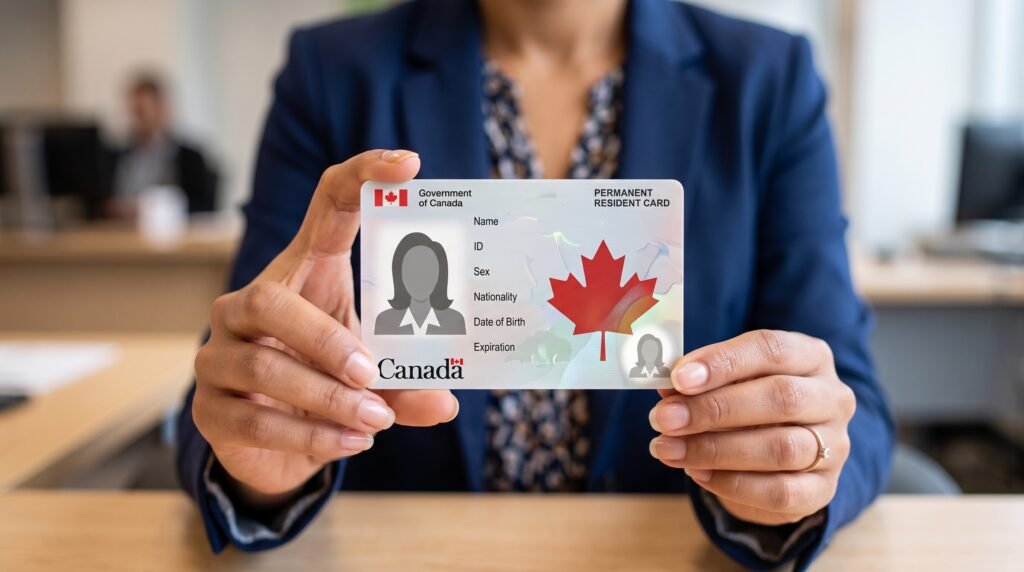
Becoming a permanent resident changes your legal status before your first permanent resident card arrives. Once your permanent residence has been officially confirmed, a Toronto Permanent Resident may need to update their Social Insurance Number record, employer information, provincial health records and other accounts that still identify you as a temporary resident.
Not every update is equally urgent. Your first priorities should usually be confirming your PR-card information, updating a temporary SIN and reviewing any documents that expire with your former work or study permit.
The exact steps depend on whether you were already living in Toronto as a temporary resident or recently arrived in Canada as a new permanent resident.
When Do You Officially Become a Toronto Permanent Resident?
You do not need to wait for the physical PR card to become a permanent resident.
For someone confirming permanent residence from inside Canada, the electronic Confirmation of Permanent Residence—commonly called an eCOPR—records the date that permanent-resident status begins.
For someone completing the process when entering Canada, status generally begins when the immigration process is completed at the port of entry and the Confirmation of Permanent Residence is validated.
The PR card is evidence of your status and is particularly important for returning to Canada on a commercial carrier. It does not create your permanent-resident status.
IRCC’s information about the Confirmation of Permanent Residence explains how the document can be used while a new permanent resident waits for the first card.
Save Your eCOPR or COPR Carefully
Download and save your eCOPR as soon as it becomes available. Do not rely on permanent access through an online portal.
Keep:
- The original electronic file
- A password-protected digital backup
- At least one printed copy
- A record of the date you became a permanent resident
- Any related IRCC correspondence
- Your Unique Client Identifier
- Your previous immigration documents
The document may be required when updating your SIN, applying for benefits or demonstrating the date you became a permanent resident.
Your COPR is also an important historical immigration document. Do not discard it after receiving the PR card.
Review the document for errors involving your name, date of birth, place of birth and other personal information. If something appears incorrect, follow IRCC’s instructions for correcting immigration records.
Confirm Your PR-Card Address and Photograph
Most new permanent residents do not need to submit a separate application for their first PR card.
IRCC can automatically issue the first card when you provide an acceptable photograph and a Canadian mailing address within 180 days of becoming a permanent resident. People confirming their status virtually generally provide this information through the Permanent Residence Portal.
IRCC explains the process on its official page for getting a first PR card.
Check that:
- Your Canadian address is complete
- Your unit number is included
- Your postal code is correct
- Your name appears on the mailbox or building directory when required
- Your photograph was submitted correctly
- You can receive secure mail at the address
- You update IRCC if you move before the card arrives
If you change homes while waiting, do not assume that ordinary mail forwarding will solve the problem. IRCC instructs applicants to update their address when they have moved or expect to move shortly.
PR cards are mailed only to Canadian addresses. IRCC may require some individuals to collect their cards in person.
Update Your Social Insurance Number Record
This is one of the most important steps for a former temporary resident.
Temporary SINs begin with the number 9 and have an expiry date connected to the person’s immigration document. When your immigration status changes from temporary resident to permanent resident, you must update your SIN record.
Service Canada allows people to complete the update online, by mail or through an eligible Service Canada location. There is no fee.
The official SIN update page lists the required documents and application methods. A recent COPR or eCOPR may be accepted as a primary identity document, subject to the current document requirements.
After your record is updated, protect the new confirmation carefully. Service Canada advises people not to carry a SIN confirmation letter in a wallet or use their SIN as everyday identification.
Tell Your Employer About the Updated SIN
If you are employed, provide your updated SIN information to the appropriate payroll or human-resources contact.
Your employer needs accurate information to:
- Report your employment income
- Prepare tax documents
- Maintain payroll records
- Issue a correct T4
- Administer certain workplace benefits
You do not need to give every manager or co-worker your SIN. Share it only with the department authorized to maintain payroll or employment records.
Ask the employer to confirm that your record has been updated before the next T4 is prepared. If tax records are created under different SINs, you may need assistance linking or correcting them.
Becoming a permanent resident may also change how your employer records your authorization to work. Your former work permit may no longer be the document supporting your employment eligibility, so provide the status evidence the employer reasonably requires.
If permanent residence coincides with a new job search, our guide to finding a first job in Toronto as an immigrant covers Toronto-specific employment preparation.
Review Your CRA Information
Your Social Insurance Number connects many federal tax and benefit records. After updating it, review your Canada Revenue Agency account and correspondence to make sure your information remains accurate.
Check:
- Your legal name
- Mailing address
- Marital status
- Direct-deposit information
- Benefit payments
- Notices of assessment
- Tax slips from employers
- Immigration-related information requested for benefit calculations
Do not create an unnecessary second CRA account. If records appear under different SINs or expected information is missing, contact the CRA through its official channels.
Permanent-resident approval by itself does not eliminate the obligation to report other changes, such as a new address or marital status.
Check Your OHIP Record
If you already have an Ontario health card, becoming a permanent resident does not necessarily mean that you need a completely new card. However, ServiceOntario may need current documentation if your previous OHIP eligibility or card validity was connected to temporary immigration status.
Bring or prepare:
- Your existing Ontario health card
- Your COPR or eCOPR
- Proof of identity
- Proof of Ontario residency
- Any other documents ServiceOntario requests
Ontario provides instructions for changing information on a health card.
Do not assume that IRCC automatically updates every provincial system. Contact ServiceOntario if your card is approaching expiry, your status information has changed or you are unsure whether the record needs to be updated.
If you do not yet have provincial coverage, see our guide to applying for OHIP after moving to Toronto.
Do You Need to Replace Your Ontario Driver’s Licence?
Becoming a permanent resident does not normally require a new Ontario driver’s licence solely because your immigration status changed.
However, you should update the licence when other information has changed, such as:
- Your residential address
- Legal name
- Date-of-birth information
- Licence class
- Medical information that must be reported
Do not use a driver’s-licence update as a substitute for updating immigration, SIN or health records. These systems serve different purposes and may not automatically exchange every change.
If you have an Ontario photo card instead of a driver’s licence, review its information and expiry date as well.
Notify Your Bank Only When Necessary
Banks do not normally require a customer to close an account and open another one after becoming a permanent resident.
You may nevertheless need to update:
- Your SIN for interest-reporting purposes
- Tax-residency information
- Legal name
- Residential or mailing address
- Identification documents
- Occupation or employment information
Contact the institution through its official website, telephone number or branch. Do not send your eCOPR or SIN in response to an unexpected email or text message.
Ask what information is actually required. Your PR card should not be used as everyday identification when another acceptable document is available.
Update Your School or Educational Institution
If you attend a Toronto college, university or another educational institution, notify its registrar or international-student office that your immigration status has changed.
Permanent residence could affect:
- How the institution classifies your status
- Future tuition assessments
- Eligibility for certain financial assistance
- Required immigration documents
- Health-insurance arrangements
- Employment restrictions connected to a study permit
- Access to particular programs or services
Do not assume that a tuition adjustment will be automatic or retroactive. Institutions have their own deadlines, evidence requirements and academic-period rules.
Ask for written confirmation of any change and keep it with your student records.
Review Workplace and Private Insurance Benefits
Your immigration status may be recorded in applications for benefits, insurance or pension plans. Many accounts will not require an update, but review documents that used your work-permit expiry date or described you as a temporary resident.
Possible records include:
- Workplace health and dental benefits
- Life insurance
- Disability coverage
- Pension plans
- Professional licensing files
- Employee stock or savings plans
- Private health insurance purchased before receiving OHIP
Do not cancel private medical insurance until you confirm that provincial coverage is active and understand whether any waiting or eligibility issue applies to you.
Update Professional Regulators When Required
If you work in a regulated occupation, check whether the regulator needs evidence of your new status.
Permanent residence might affect:
- Registration eligibility
- Work authorization records
- Identification requirements
- Contact information
- Examination eligibility
- Fees or membership categories
Use the regulator’s official website and request written instructions. Do not assume that updating your employer automatically updates your professional body.
If you are still completing the licensing process, our guide to getting foreign credentials recognized in Ontario may help you organize the broader process.
Review Your Travel Plans Before Leaving Canada
This is one of the most important practical issues after receiving an eCOPR.
An eCOPR proves your status inside Canada, but it is not a substitute for a valid PR card when boarding a commercial flight, bus, boat or train to Canada.
IRCC’s guidance on permanent-resident cards and status explains the documents permanent residents may require for travel.
If you leave Canada before receiving your first PR card, you may need a permanent resident travel document to return on a commercial carrier. A PRTD is generally requested from outside Canada and processing time may affect your return.
Before booking travel:
- Check the status of your PR card.
- Confirm the rules for your method of transportation.
- Review PRTD requirements for your destination.
- Consider how processing delays could affect work or school.
- Carry your valid passport.
- Do not rely on a former visa or electronic travel authorization.
A PR card is not a passport. You will normally need both the PR card and a valid passport or travel document when travelling internationally.
Keep Your Former Immigration Documents
Do not destroy your old work permit, study permit, visitor record or visa immediately.
Although those documents no longer establish your current status, they may remain useful as historical evidence of:
- Your periods of authorized residence
- Your permission to work or study
- Previous document numbers
- Travel history
- Immigration applications
- Dates relevant to future citizenship calculations
Store expired documents with your COPR and other important records. Mark them as expired if necessary so that you do not accidentally present them as proof of current status.
Start Maintaining a Reliable Travel Record
Permanent residents must meet residency obligations to retain their status, and time physically present in Canada may later matter for a citizenship application.
Create a record of:
- Dates you leave Canada
- Dates you return
- Destinations
- Reasons for travel
- Passports used
- Boarding passes or travel confirmations
- Employment outside Canada when potentially relevant
- Extended absences
Do not rely entirely on memory or passport stamps. Some countries do not stamp passports consistently, and short cross-border trips are easy to forget.
A simple secure spreadsheet or calendar can make future applications much easier.
Do Not Register to Vote Yet
Permanent residents can live, work and study in Canada, but they cannot vote in federal, provincial or Toronto municipal elections until they become Canadian citizens and satisfy the applicable voting requirements.
Be cautious if you receive voter information or a registration form by mistake. Contact the appropriate election authority to correct the record rather than assuming that receiving the document makes you eligible.
You may still participate in community life in many other ways, including attending public meetings, volunteering and communicating with elected representatives.
Which Updates Are Usually Most Urgent?
A practical order is:
Complete promptly
- Download and protect your eCOPR
- Review it for errors
- Submit or confirm your PR-card photograph and Canadian address
- Update a temporary SIN
- Give updated SIN information to payroll
- Review travel plans before leaving Canada
Review soon afterward
- OHIP record
- CRA account and benefits
- Bank and investment records
- School or tuition classification
- Professional regulator information
- Workplace benefits
- Private insurance
Maintain over time
- Address changes
- Travel history
- Copies of immigration documents
- PR-card expiry awareness
- Records relevant to citizenship eligibility
The sequence may change if you have imminent travel, an expiring health card, a new job or another deadline.
Be Careful With PR-Related Scams
Government agencies do not charge a fee to update your SIN record. Be suspicious of anyone who claims you must pay to “activate” permanent-resident status or obtain a guaranteed first PR card.
Warning signs include:
- Requests for gift cards or cryptocurrency
- Threats that your status will be cancelled immediately
- Unsolicited links requesting your SIN
- Offers to accelerate routine updates for a large fee
- Requests for passwords or one-time verification codes
- Messages from addresses that imitate government domains
- Claims that you must surrender your passport to an unknown person
Access government services by typing the official address into your browser rather than following an unexpected message.
The Bottom Line
After becoming a Toronto permanent resident, start by protecting your COPR, confirming the PR-card address and photograph, and updating any temporary SIN. Then review your employer, OHIP, CRA, banking, education and professional records for information connected to your former temporary status.
Do not assume that one government department will automatically update every other organization.
Most importantly, understand the difference between permanent-resident status and the PR card. Your status begins when permanent residence is officially confirmed, but the physical card remains important for returning to Canada by commercial transportation.
Note: Immigration procedures, document requirements, processing times and government services can change. Confirm each step through IRCC, Service Canada, Service Ontario and the relevant institution before submitting personal information. This article provides general information and is not immigration, legal or tax advice.