
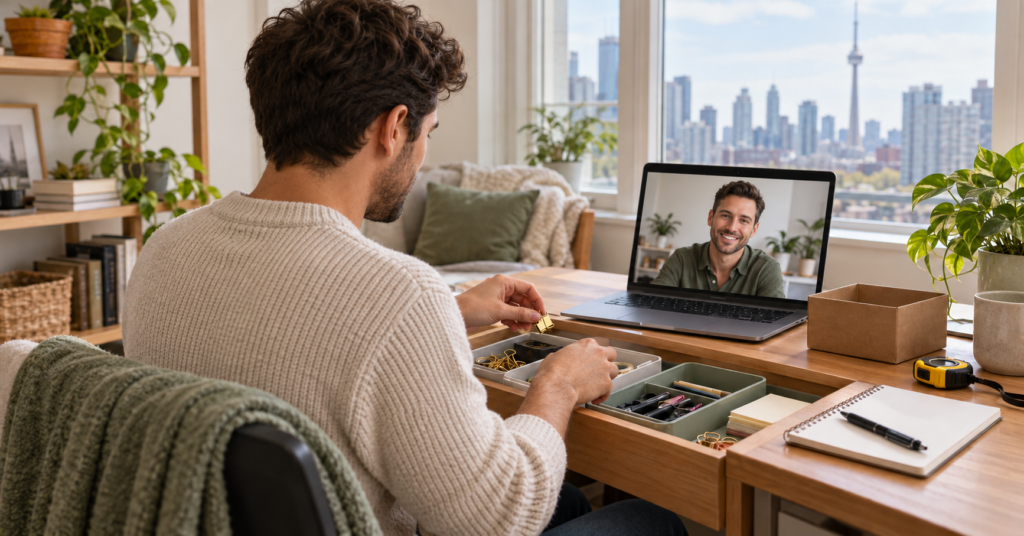
Virtual organizing in Toronto gives you a way to work with an organizer through a phone, tablet or computer while remaining in your own space. For a practical sorting session, you handle the belongings while the organizer helps you make decisions and develop a workable arrangement.
Preparing for that conversation involves more than finding the meeting link. The organizer needs a useful view of the area, and you need enough room, supplies and time to act on the guidance. A few arrangements beforehand can help the appointment stay focused.
Choose One Small Area and a Specific Outcome
Start with a contained area such as a desk drawer, one pantry shelf or the surface where incoming mail collects. Choose somewhere you can reach comfortably and show on camera without moving heavy furniture.
Describe what you want to do more easily afterward. “Find the paperwork I need for this week” is a clearer goal than “organize my office.”
Keep the area close to its normal condition so the organizer can understand how you currently use it. There is no need to rearrange the entire room before asking for help.
If your home has overlapping work and living spaces, our guide to making a small Toronto apartment feel like home can help you identify which daily activity the area should support.
Position the Camera to Show the Work
Place your phone or laptop on a stable surface where it can show the area you are sorting. A face-level view may suit the initial conversation, but the organizer may need a different angle once you begin handling items.
Test whether the camera can show both the storage space and your sorting surface. For a drawer, that might mean placing the device beside you and slightly above the work area.
Keep your hands free. Use a secure stand if you already have one, or ask the organizer how to work with your available setup.
Check lighting before the call. You should be able to see the contents of the area clearly without a bright window behind it obscuring the view. Keep charging cables away from where you will walk or move containers.
Test the Connection and Decide What to Share
Confirm the video platform, whether you need an app or account, and how the invitation will arrive. Open the platform beforehand and check that the camera, microphone and speakers work.
Test from the actual room you plan to use. A connection that works at the kitchen table may need checking again inside a closet or at the far end of the apartment.
Look at what appears in the frame. Put unrelated personal records out of view, and tell the organizer if certain belongings should remain private.
Ask whether the session will be recorded, whether photographs are requested and how any images will be used or retained. Agree on an alternative contact method in case the call disconnects.
Gather Supplies Without Buying a Storage System
Keep a few empty boxes, reusable bags or baskets nearby for temporary sorting. Add a pen, removable labels and a notebook for decisions or measurements.
Use containers you already own where possible. Their immediate purpose is to separate belongings while you work; permanent storage choices can wait until you know what needs a place.
A measuring tape may help if the session involves shelves or drawers. Have the device charger within reach, along with any glasses or other everyday items you need to work comfortably.
Leave enough clear surface to handle a small group of belongings. Avoid emptying several cupboards before the call, which can create more work than the appointment can reasonably address.
Clarify How Guidance Will Work During the Call
Virtual support can involve discussing a plan, working through a task together or reviewing a system you have already tried. Ask which approach the appointment will use and how much practical work you should expect to complete.
For example, Organized MD offers virtual organizing through Zoom, guiding clients through the process while they do the hands-on work. Sessions range from a one-hour minimum to three hours, with manageable tasks between appointments and email or text support available.
When contacting the organizer, explain the area you want to address, your intended outcome and the device you will use. Ask which session length and format would suit that starting point.
If someone will help you move or sort belongings, mention their involvement beforehand. Clarify who will make decisions and how instructions will be shared during the call.
Agree on Manageable Actions Between Appointments
Before accepting follow-up tasks, discuss the time and help you will realistically have available. A useful action should be specific enough that you know where to begin and when it is complete.
For example, “measure the two shelves and send the dimensions” is easier to act on than “finish the storage.” Another task might be trying the new mail-sorting arrangement for several days and noting what becomes difficult.
Separate actions you can complete independently from decisions that need another conversation. If you are unsure about an item, record the question instead of treating removal as the default.
Agree on how progress will be reviewed. Ask whether updates should be sent by email, text or discussed at the next appointment, and whether additional support has limits or extra charges.
Confirm Costs and Arrangements for Technical Problems
Request the price for the specific service and duration you are considering. Check whether taxes, written plans, product research or follow-up contact are included.
If several appointments are proposed, ask whether they are purchased individually or as a package. Review payment timing, any expiry date and the rules for changing or cancelling a booking.
Discuss what happens if technology interrupts the session. Would the appointment continue by phone, pause while you reconnect or need to be rescheduled? Clarify how the booked time would be charged in each situation.
Also ask how extra time is approved. Both sides should know when the session ends and whether extending it changes the cost.
Finish With a Usable Workspace and Clear Notes
Reserve the final part of the call for putting belongings away and reviewing what remains. Avoid starting another drawer when there is only enough time to close the current task.
Ask the organizer to help you identify temporary homes for unresolved items. Keep anything awaiting a decision separate from approved donations or disposal.
Write down the agreed next actions and any supplies you still need to consider. If a new arrangement has been introduced, explain how you will use it during an ordinary day so any practical difficulty can be discussed.
End with access to the surfaces and belongings you need, along with a clear starting point for any future appointment.
Note: Technology requirements, session lengths and fees depend on the confirmed booking. For general privacy precautions, see the Government of Canada’s Get Cyber Safe guidance on connecting safely by video.